


Three products.
One operation.

Use Lead Generator, Social Intelligence and Stream Desk with shared business knowledge, and the capabilities that help your team move work forward. The screens below are the actual product with demo data.

Lead Generator

From your target market
to a list your team can work with.

Describe the customer you want in plain language. The AI turns it into a search for the companies and the people in them, checks each contact, and prepares outreach written with your business context.

Join early access
A plain-language brief fills the filters for you, or set them by hand
Industry, company size, seniority, department, revenue and location
Each contact's email is checked, and its status is shown before you use it
A fit score against your business context ranks the results
An outreach draft per lead, written with your offer
People an earlier search already gave your organization are left out
Search around an address when you are after local businesses
Export a CSV, push to Smartlead, Instantly, Lemlist or Mailshake, or hand off to your CRM
Lead Generator
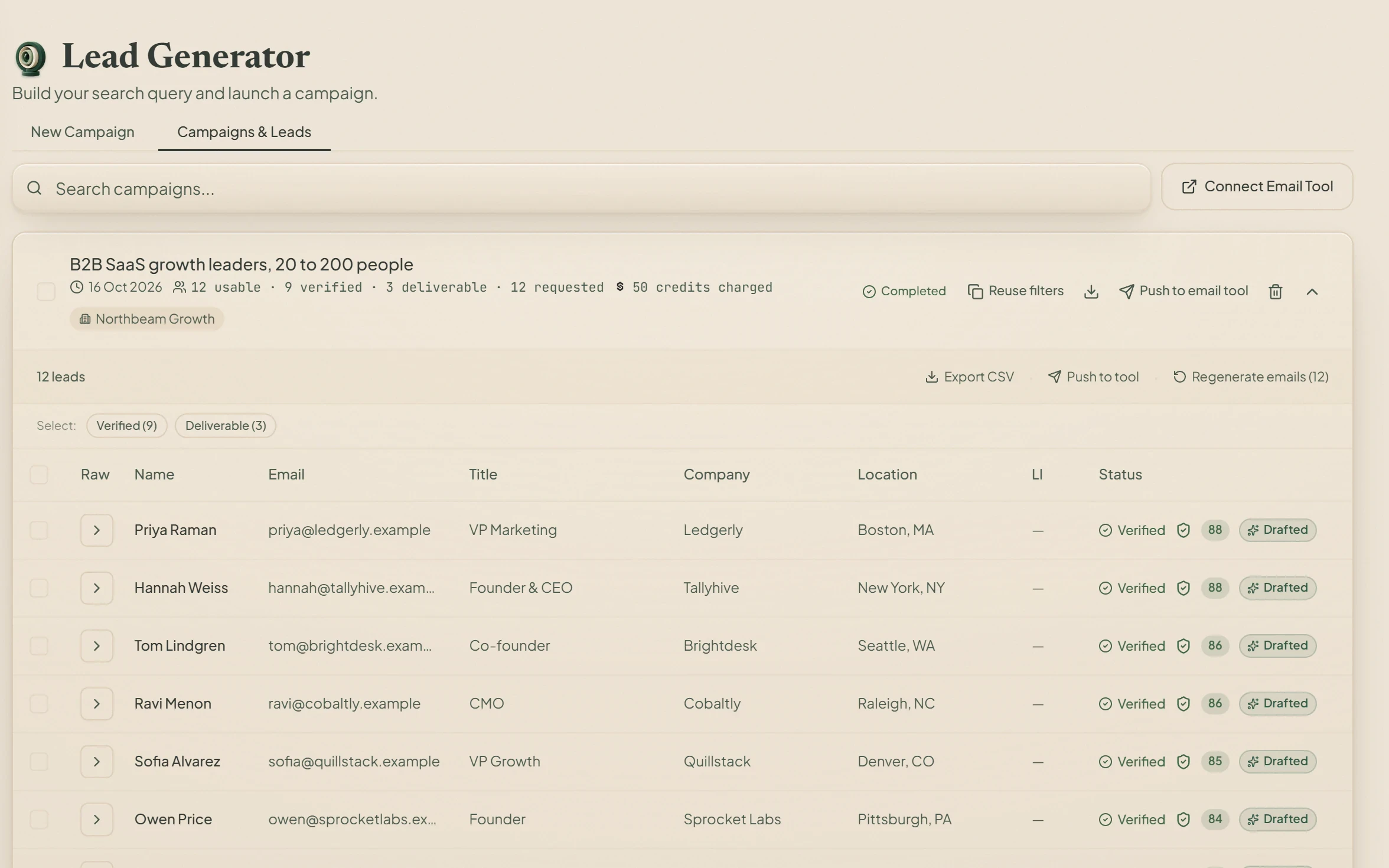
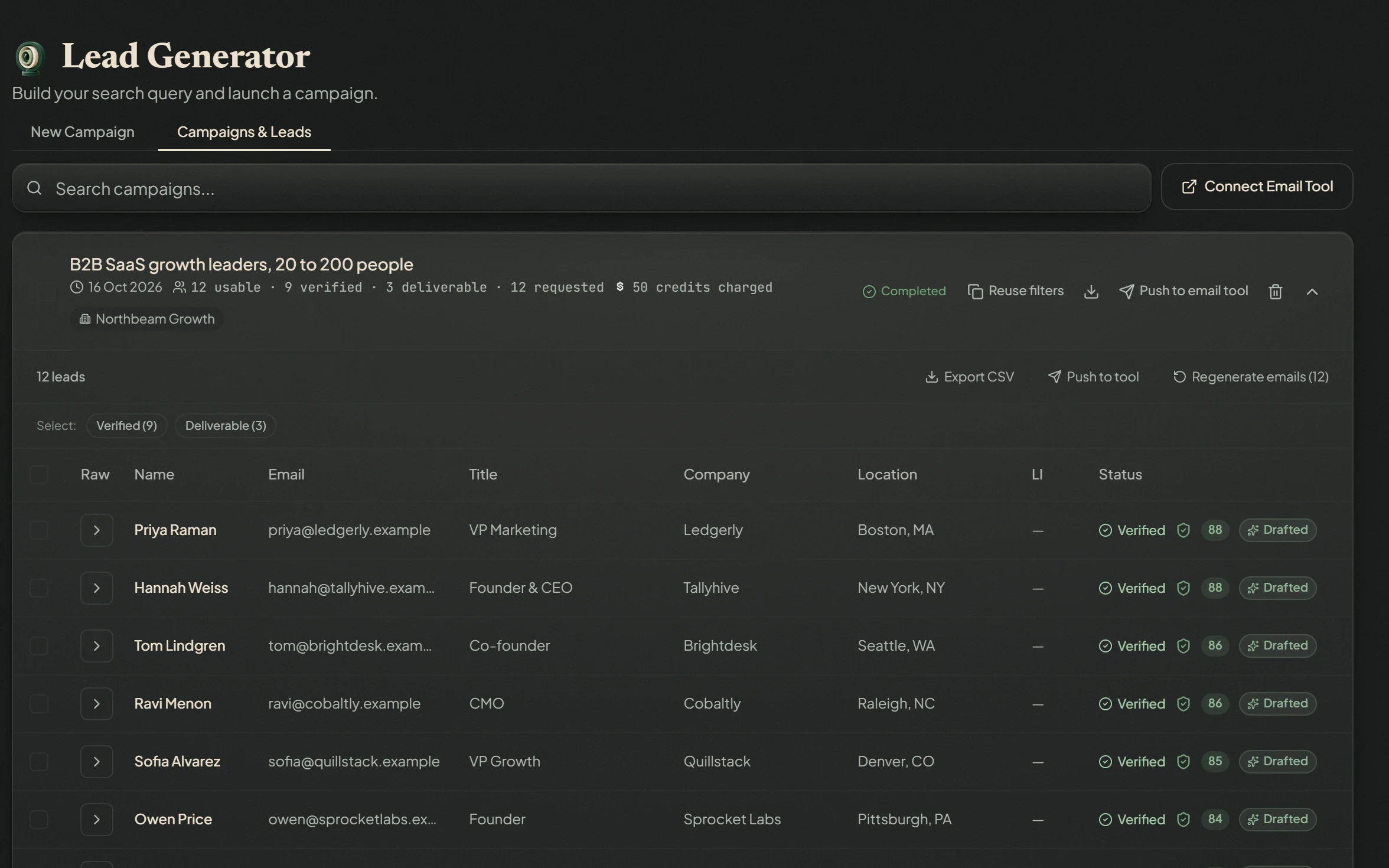
A finished Lead Generator search for growth leaders at B2B SaaS companies of 20 to 200 people: 12 leads, 9 verified and 3 deliverable, each with a fit score and a drafted email, ready to export or pushA finished Lead Generator search for growth leaders at B2B SaaS companies of 20 to 200 people: 12 leads, 9 verified and 3 deliverable, each with a fit score and a drafted email, ready to export or push
A finished search: 12 leads, 9 verified and 3 deliverable, each with a fit score and a drafted email. Actual product interface with demo data.

How many people a search finds depends on the market you describe. A verified email is a checked address, not a promise that a message lands.

Social Intelligence

Understand what changed in your market,
and why it matters.

Follow the competitors that matter to you. Social Intelligence reads their public activity and the market signals it can see, and turns it into a report that shows its evidence and ends in what deserves your team's attention.

Join early access
Add competitors yourself, or let the AI find and check their accounts
Reports that start with what changed, then the evidence, then what to consider
Every finding traced back to the posts behind it
Ads seen in public ad libraries, kept apart from what competitors post
Scans and reports on the schedule you set, or whenever you ask
Social Intelligence
A Social Intelligence report: one competitor cut its pilot price and another started promising a meeting count, the standings by engagement per post, and what to do this weekA Social Intelligence report: one competitor cut its pilot price and another started promising a meeting count, the standings by engagement per post, and what to do this week
A weekly report: what two competitors changed, where the business stands, and what to do this week. Actual product interface with demo data.

Signals are evidence to weigh, not results. An ad in a library says it ran, not what it cost or sold.

Stream Desk

One place to continue
the customer conversation.

Customer messages from your channels arrive in one inbox, with the conversation's history and your business knowledge at hand. The AI answers; a teammate steps in whenever a person should.

Join early access
Email, SMS, Telegram and a chat widget for your website, in one inbox
The AI answers from your knowledge base, not from a script
Switch the AI off for any one conversation and reply yourself
Translate a message in the thread when the customer writes in another language
Book a time from the conversation on Google Calendar or Cal.com
Every conversation tagged by channel and lead stage
Stream Desk
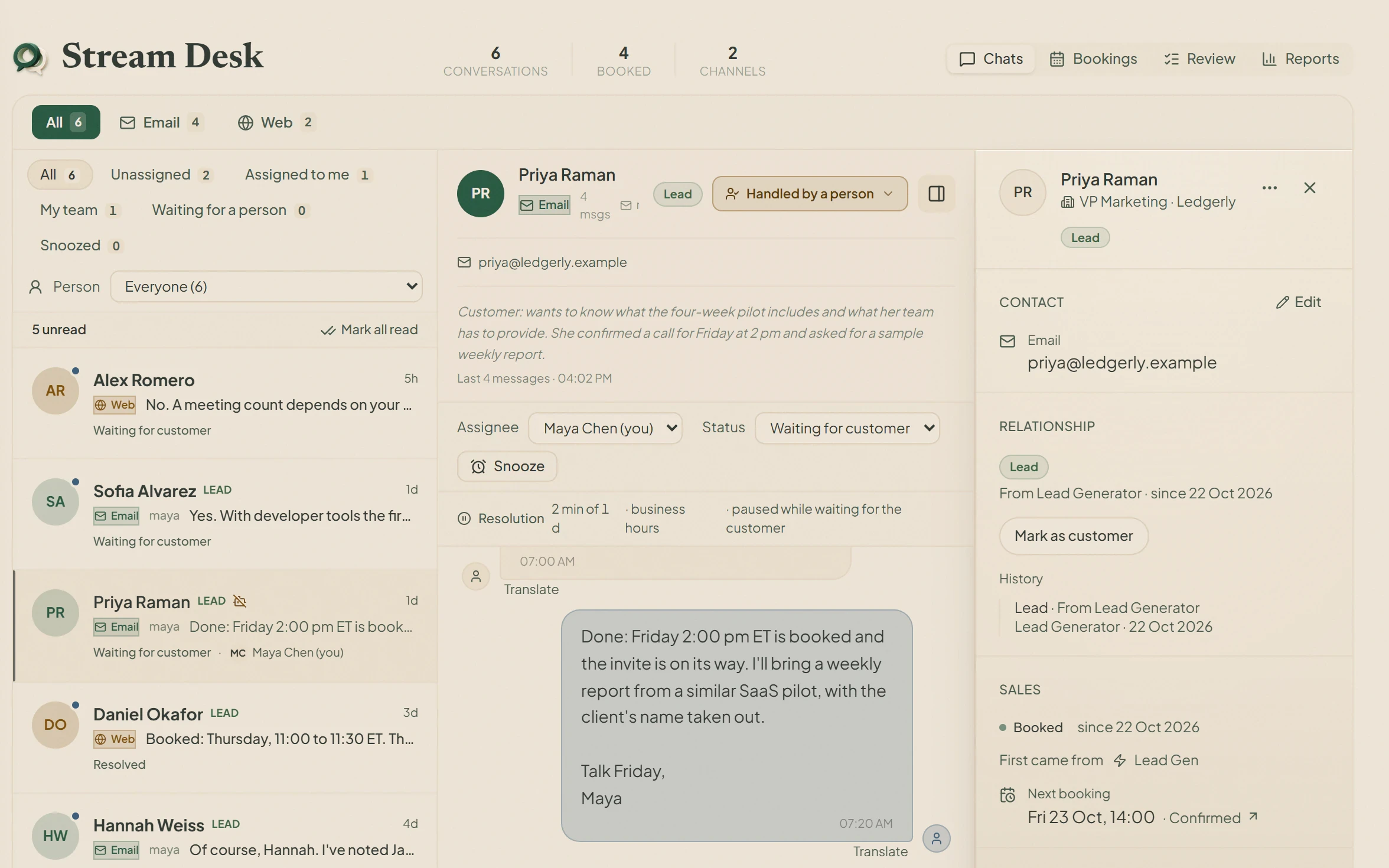
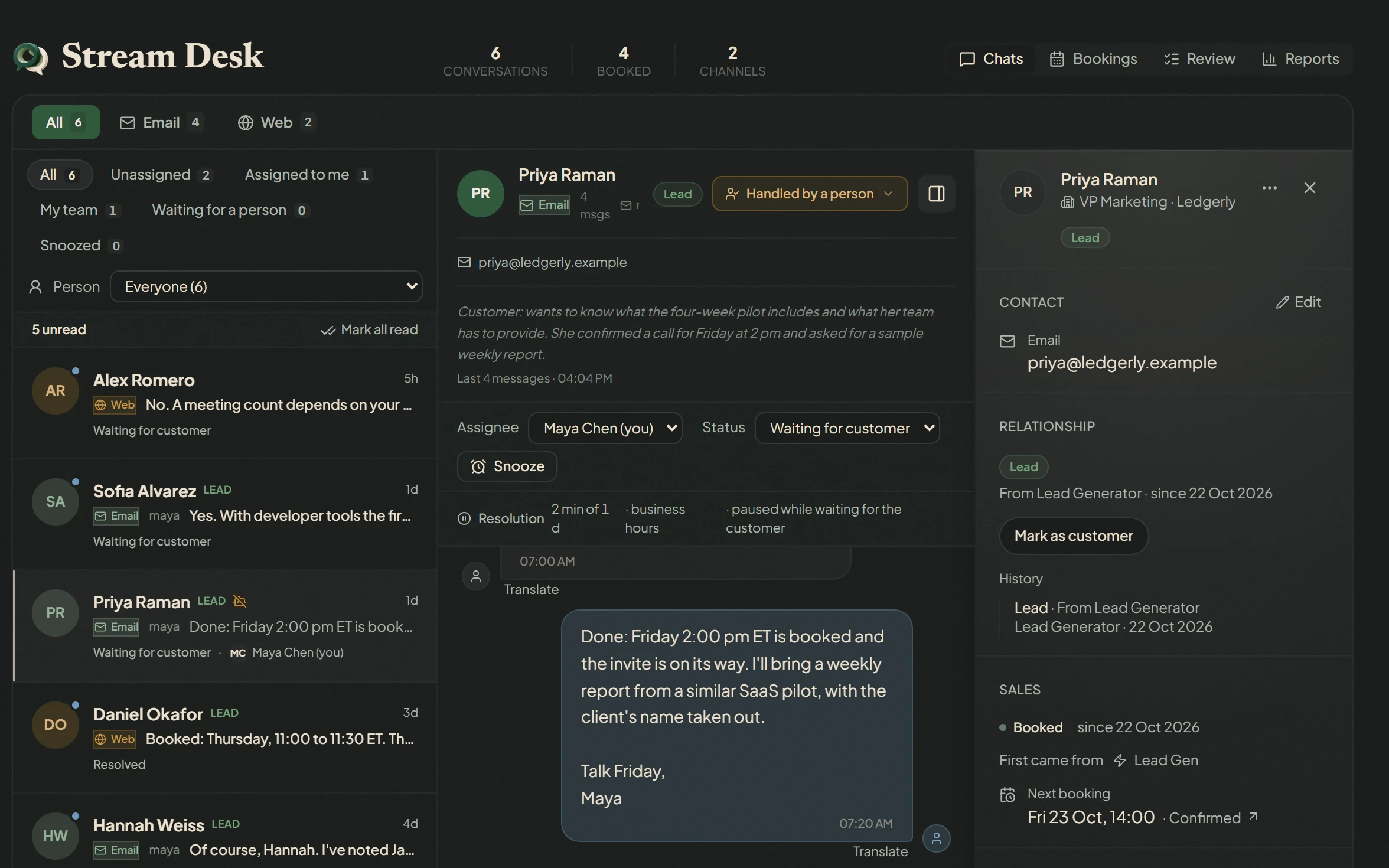
A Stream Desk conversation: a lead replied to outreach, the AI answered her questions about the pilot, and a teammate took over to confirm the call, with her record and next booking beside itA Stream Desk conversation: a lead replied to outreach, the AI answered her questions about the pilot, and a teammate took over to confirm the call, with her record and next booking beside it
A lead's reply to outreach: the AI answered her questions, then a teammate took over to confirm the call. Actual product interface with demo data.

Which channels you can connect is on the integrations page, with what each one needs.

Shared by all three.

Not more products to learn: the parts the three use together, so the work carries from one to the next.

Business context

Your offer, audience and knowledge, where every product can use it.

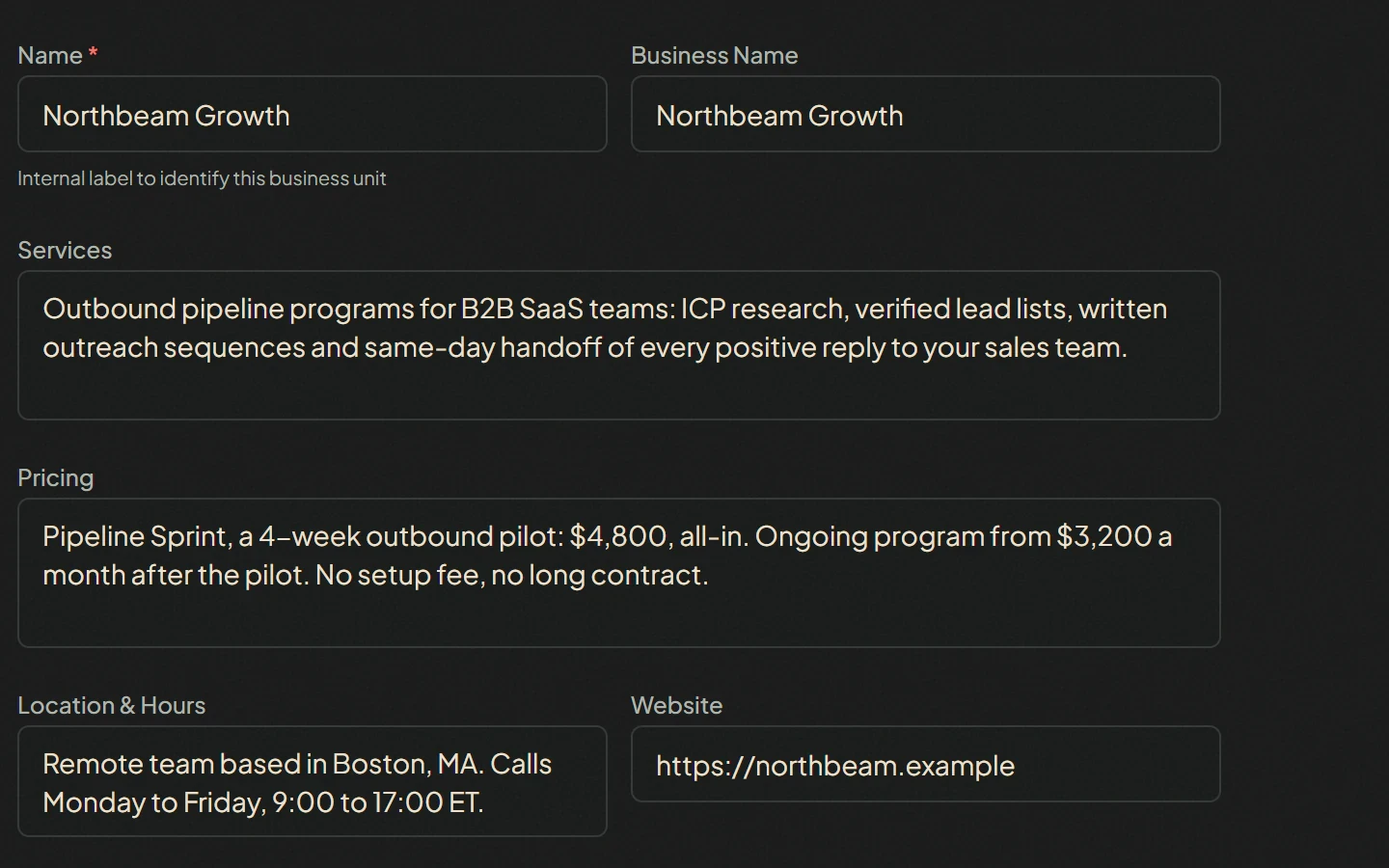
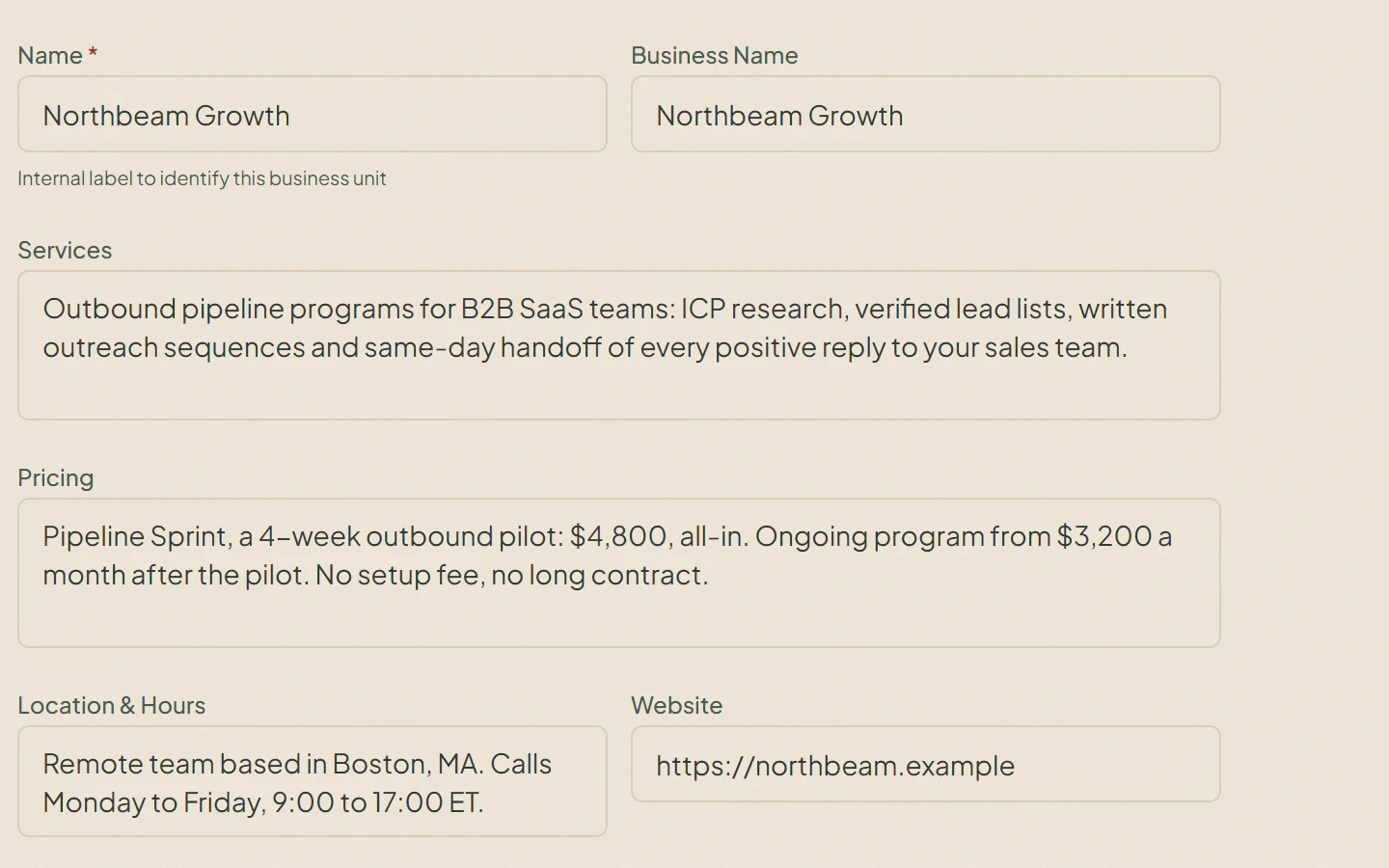
  • Profile and knowledge entries by category: services, pricing, FAQ, policies and more
  • Upload a document or write an entry by hand
  • Switch any entry on or off for the AI without deleting it
Business context
The organization profile every product writes with: services, pricing, location and hours, and websiteThe organization profile every product writes with: services, pricing, location and hours, and website

Records and CRM

Every lead in one pipeline, handed to your CRM when it is ready.

  • One pipeline from lead to won or lost, fed by Lead Generator and Stream Desk
  • Board or table view, searchable by name, company and source
  • New and updated contacts sent to your connected HubSpot, Salesforce or Zoho on a schedule, one way

Outreach

Sequences that send from your own mailbox.

  • Gmail through Google sign-in, or any SMTP and IMAP mailbox
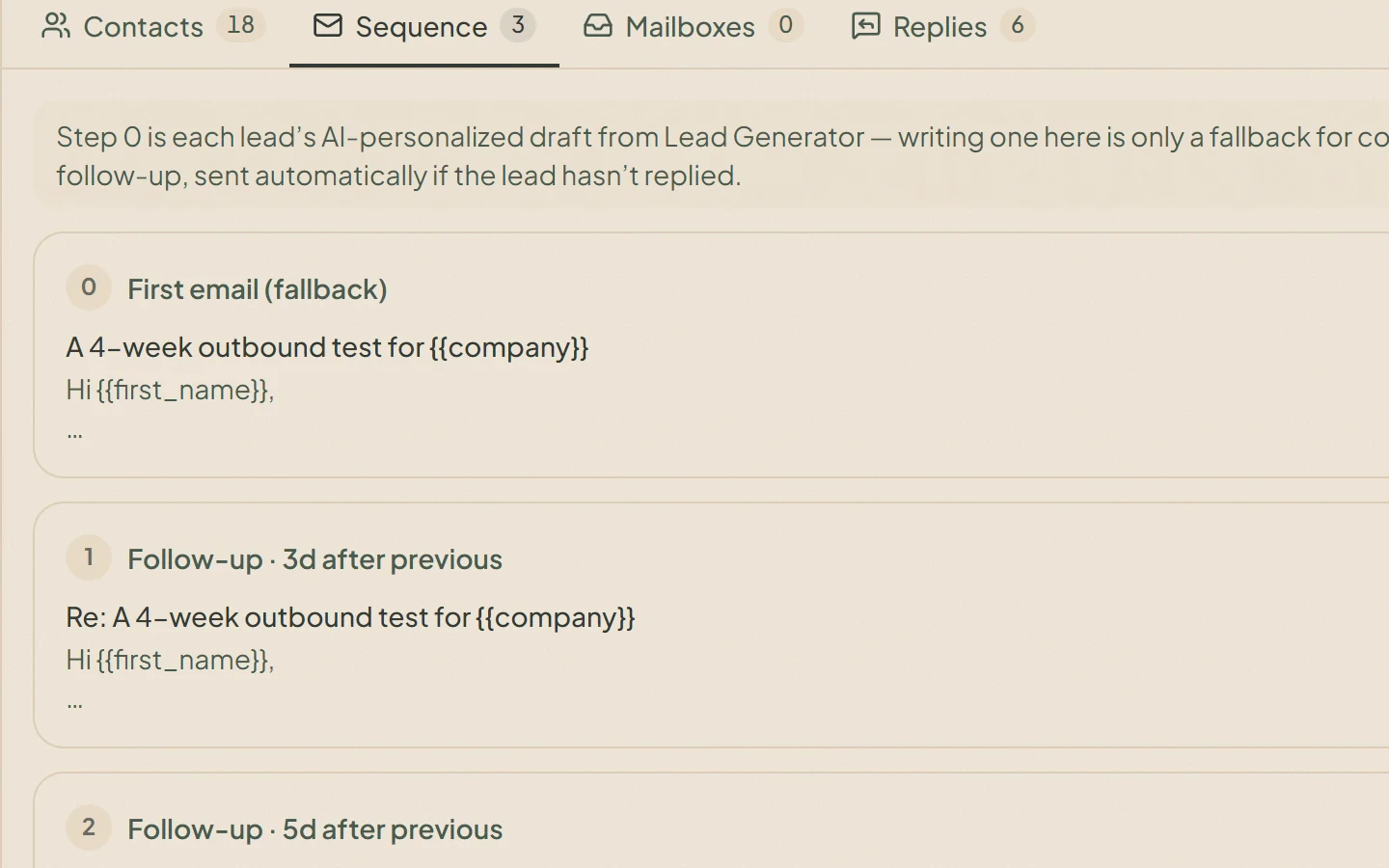
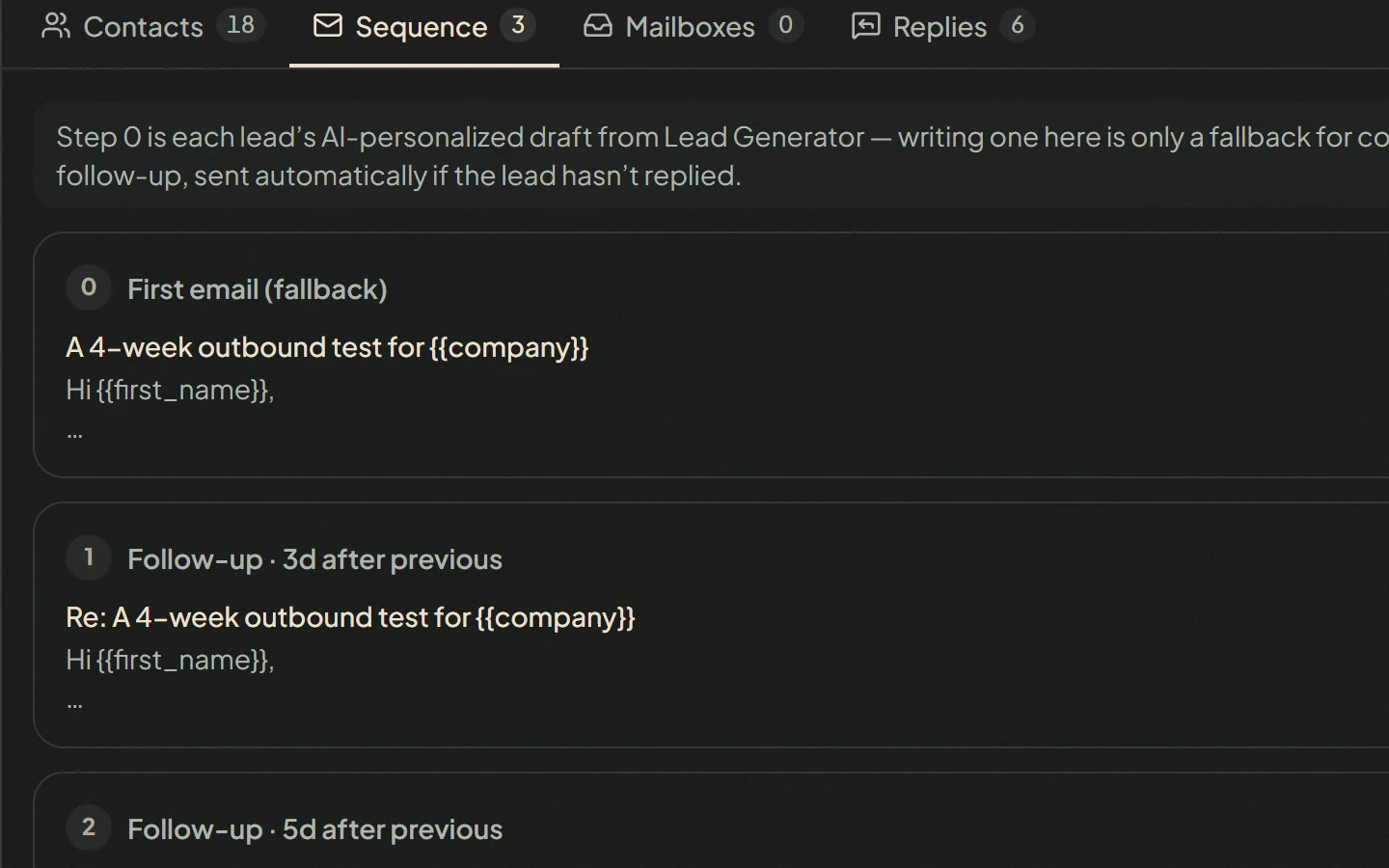
  • The first email is the lead's own draft; follow-ups go out on the delays you set
  • A daily cap and a weekend switch
Outreach
A three-step outreach sequence: each lead's own draft first, then follow-ups three and five days laterA three-step outreach sequence: each lead's own draft first, then follow-ups three and five days later

Bookings

A conversation that ends with a time in the diary.

  • Booking pages that check your Google Calendar or Cal.com availability
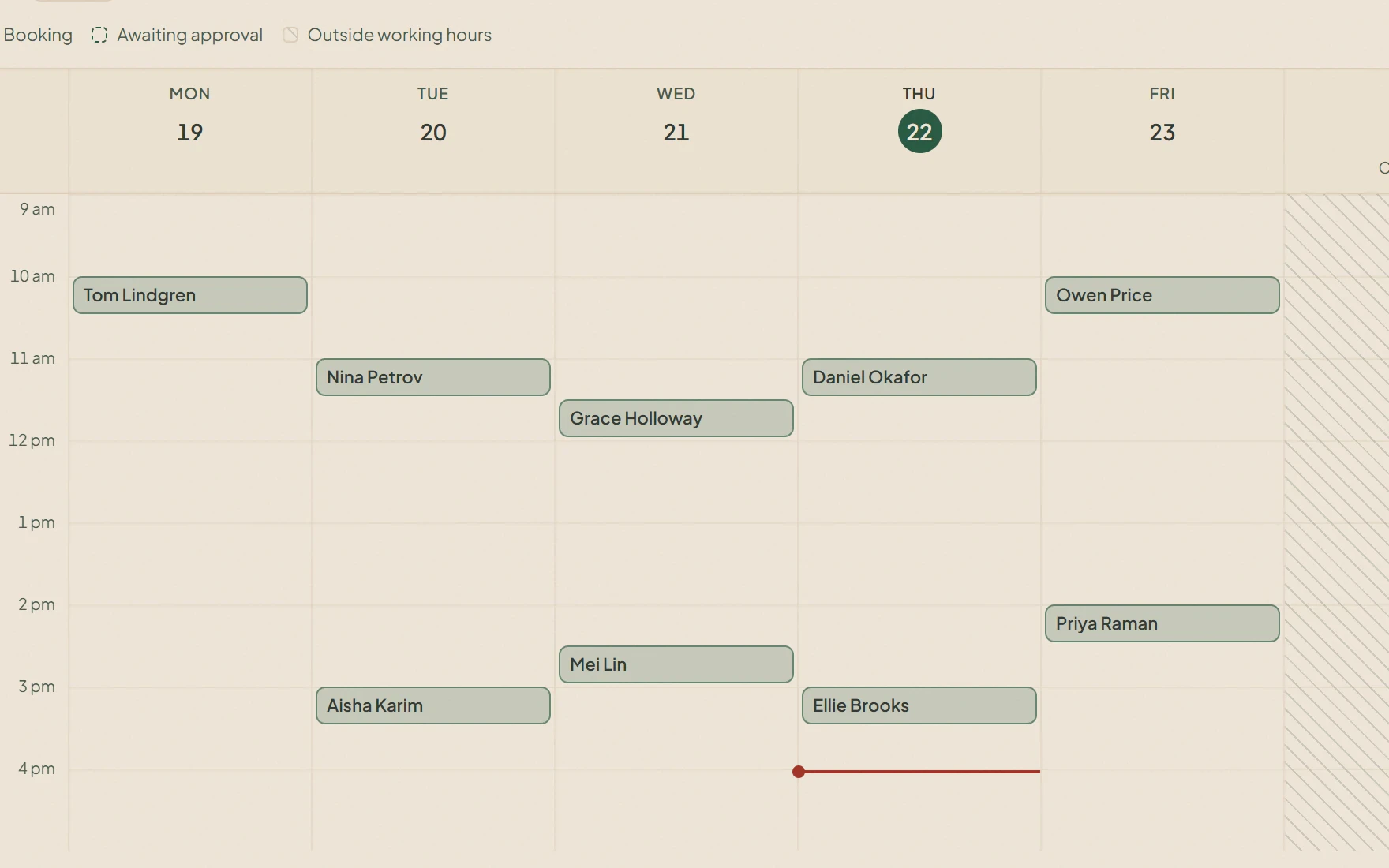
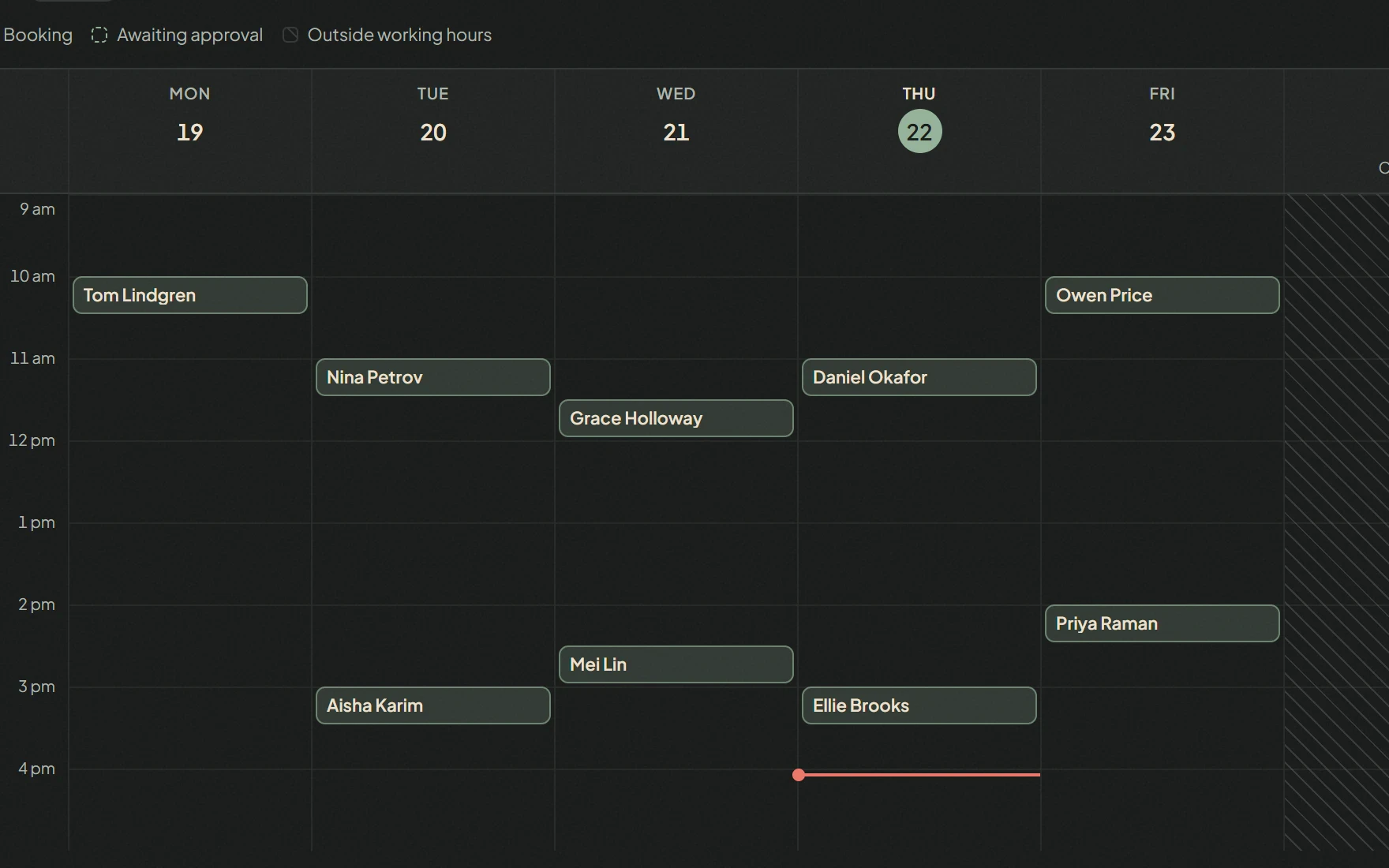
  • Calendar, week and table views over the same bookings
  • Times booked from a Stream Desk conversation land here
Bookings
The bookings week view: intro calls and a pilot kickoff across the working weekThe bookings week view: intro calls and a pilot kickoff across the working week

Automations

Workflows that run on real events.

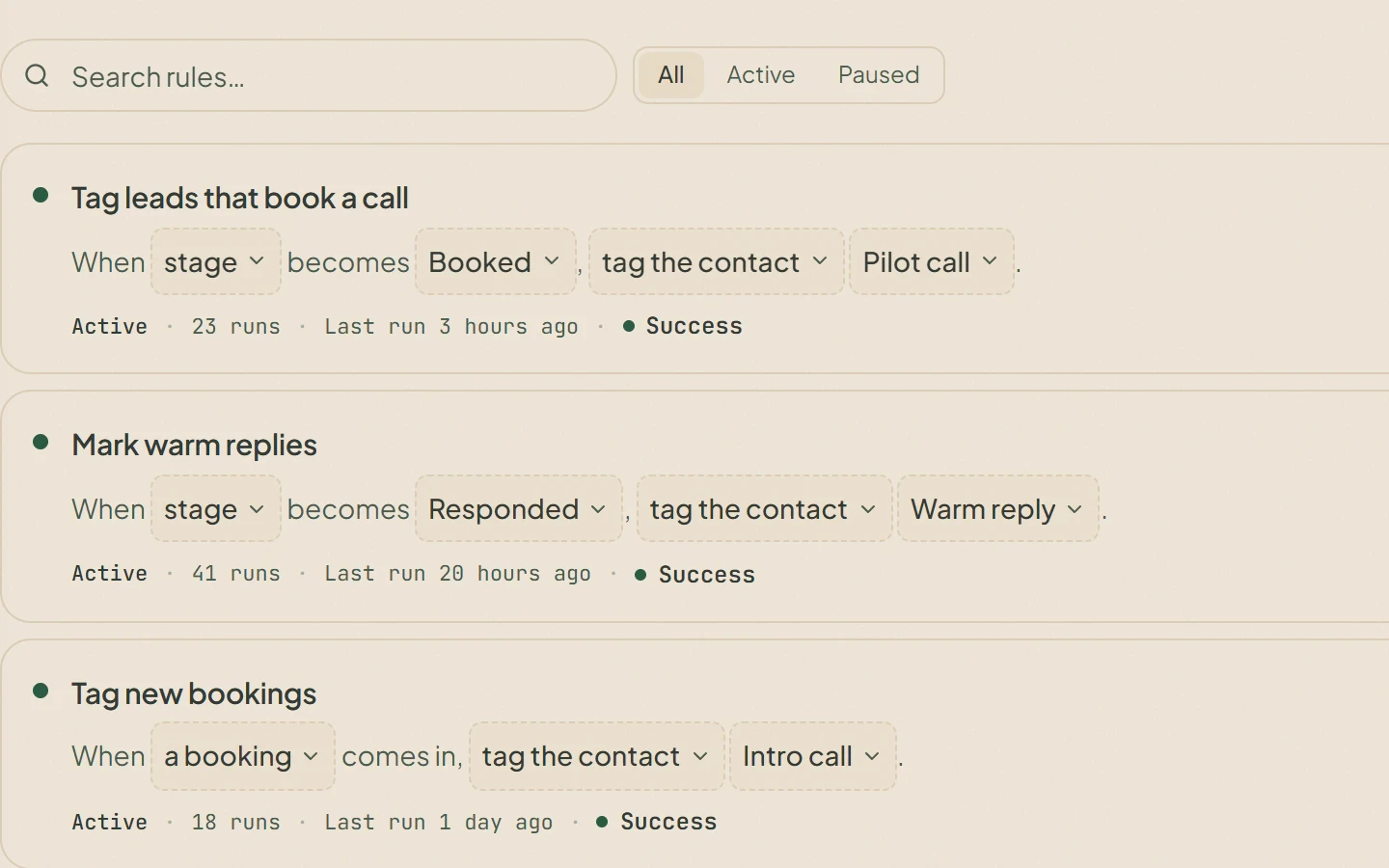
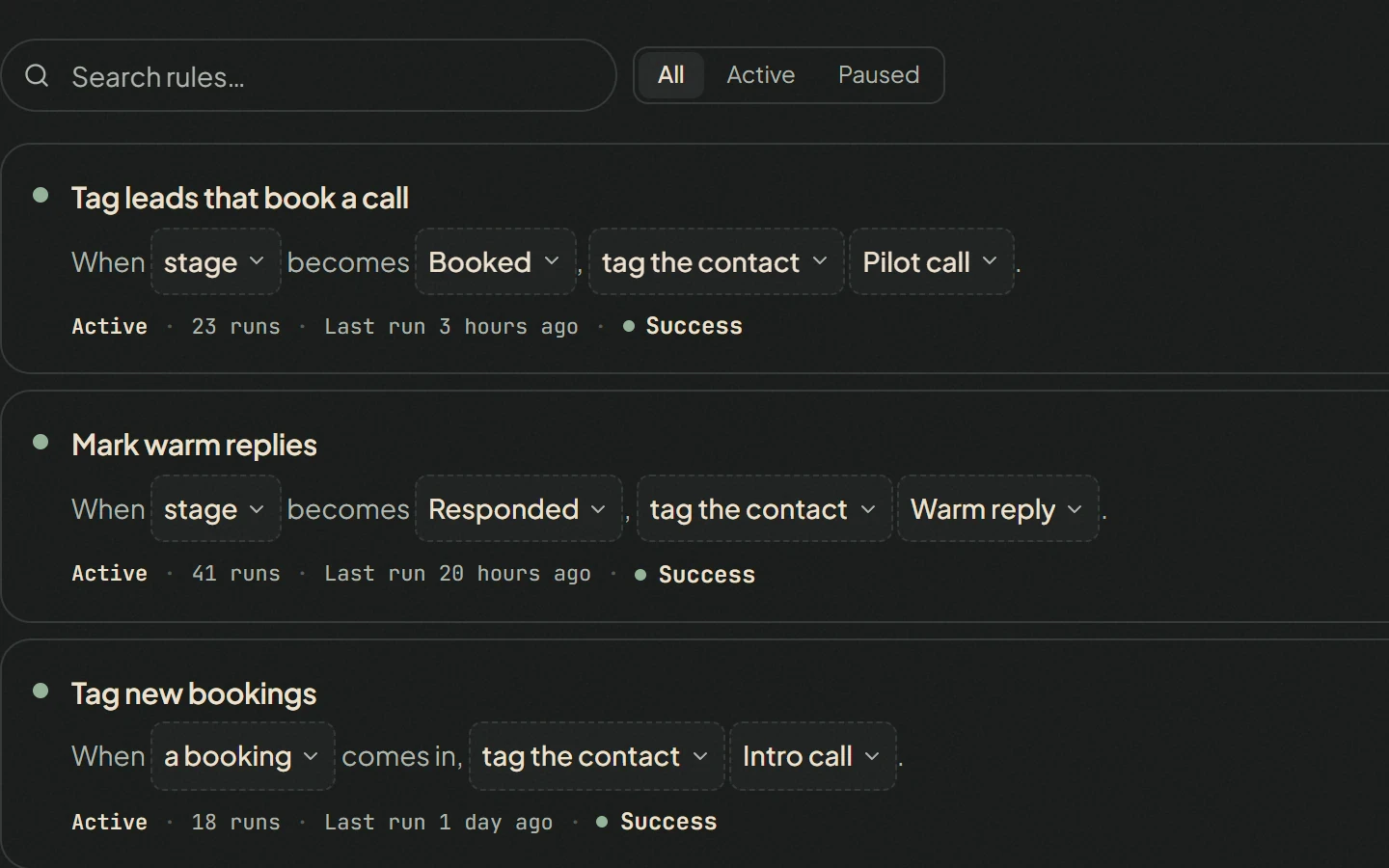
  • Rules on a new lead, a new booking, a stage change or a new conversation
  • Workflows on a schedule, or run by hand
  • Every run logged with what it did
Automations
Three automation rules on stage changes and new bookings, each with its run count, last run and statusThree automation rules on stage changes and new bookings, each with its run count, last run and status

Agent

Ask for help with the work, in plain language.

  • The agent plans the work and shows you the plan first
  • Sending, exporting or running a workflow on your behalf waits for a yes
  • On every plan, paid from credits by the work it does
  • On every paid plan, one press of Run lets it work on its own within a budget; anything it would send waits for your approval

Screens: actual product interface with demo data.

What each plan includes

Every plan has the three products and the agent. Plans differ in included credits, seats, organizations and active automations; letting the agent work on its own is available on every paid plan.

Compare plans

See it running on your business.

Start with the product you need today. If you would like help setting it up, talk to us.